Winter break is here, schools are closed for a couple of weeks, and many parents are bracing for the same battle: screens. Tablets, TVs, phones and gaming consoles all compete for children's attention, and adding a smartwatch to the mix can feel like inviting one more screen into the house.
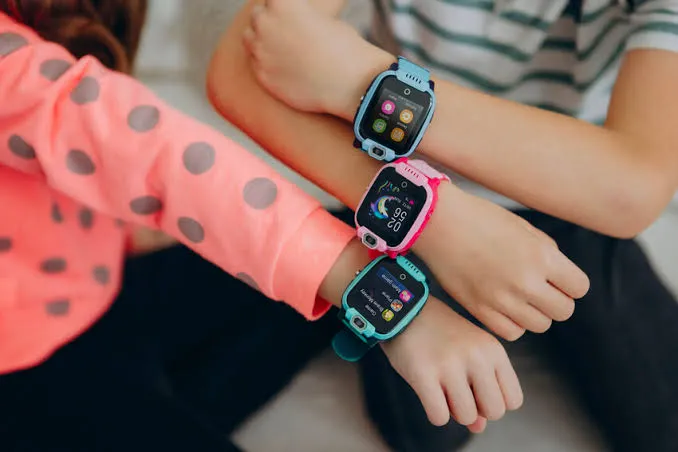
So it is a fair question. If you are considering a smart watch for kids with games or fun features, will it make screen time worse? The honest answer is: it depends on what the watch does, and what it deliberately does not do.
Screen-time research increasingly focuses on the kind of screen use rather than just the number of minutes. Passive, endless scrolling and autoplay video tend to be the most problematic. Short, purposeful interactions, such as a quick call with a grandparent or checking the step count after a game of cricket, are very different.
A smartphone is designed to keep users engaged for as long as possible. A well-designed kids' watch is designed for the opposite: brief interactions, then back to life.
On reputable children's watches, "games" rarely means anything like mobile gaming. More often it means:
These are closer to toys and fitness tools than to the addictive mobile games parents worry about. There is no app store to download new titles, and no in-app purchases.
No open internet or social media. This is the single biggest difference from a phone. Without a browser, short-video apps or social feeds, there is very little on a kids' watch to get lost in.
Small screen, short sessions. A 1.3- to 1.5-inch display is great for calls and quick glances, and naturally unsuitable for hours of viewing.
Class Mode or School Mode. Parents can set hours during which the watch only shows the time. Many families use this during homework or family meals, not just school.
Parent-managed contacts. Children cannot add random contacts or join group chats with strangers.
Interestingly, many families find a watch helps them cut back on other screens:
A kids' smartwatch is not automatically another screen problem. The right one can actually ease the pressure by giving children independence and fun without the endless pull of a smartphone.
Brands built for children tend to make these choices deliberately. imoo designs its watch phones with no open internet and no social media, and adds parent-scheduled Class Mode. If you want a kids smartwatch with no open internet that still feels fun, the imoo Z1 adds step counting and step rankings with friends, plus a bump-to-connect feature for adding friends face to face, alongside 4G calling and location tracking.
This winter break, aim for screens that connect and move children, not ones that keep them still.

This post has been authored and published by one of our premium contributors, who are experts in their fields. They bring high-quality, well-researched content that adds significant value to our platform.